Project Overview
The Jenkins Automation for WTS project is a comprehensive automation infrastructure designed to streamline the development, testing, and deployment of FPGA-based Ethernet designs. This system automates the entire workflow from design generation to hardware testing, significantly reducing manual effort and improving reliability.
🎯 Key Objective: Automate the generation, building, and testing of Vivado and PetaLinux designs across multiple tool versions, with seamless integration to GitHub repositories and automated hardware validation using boardfarm.
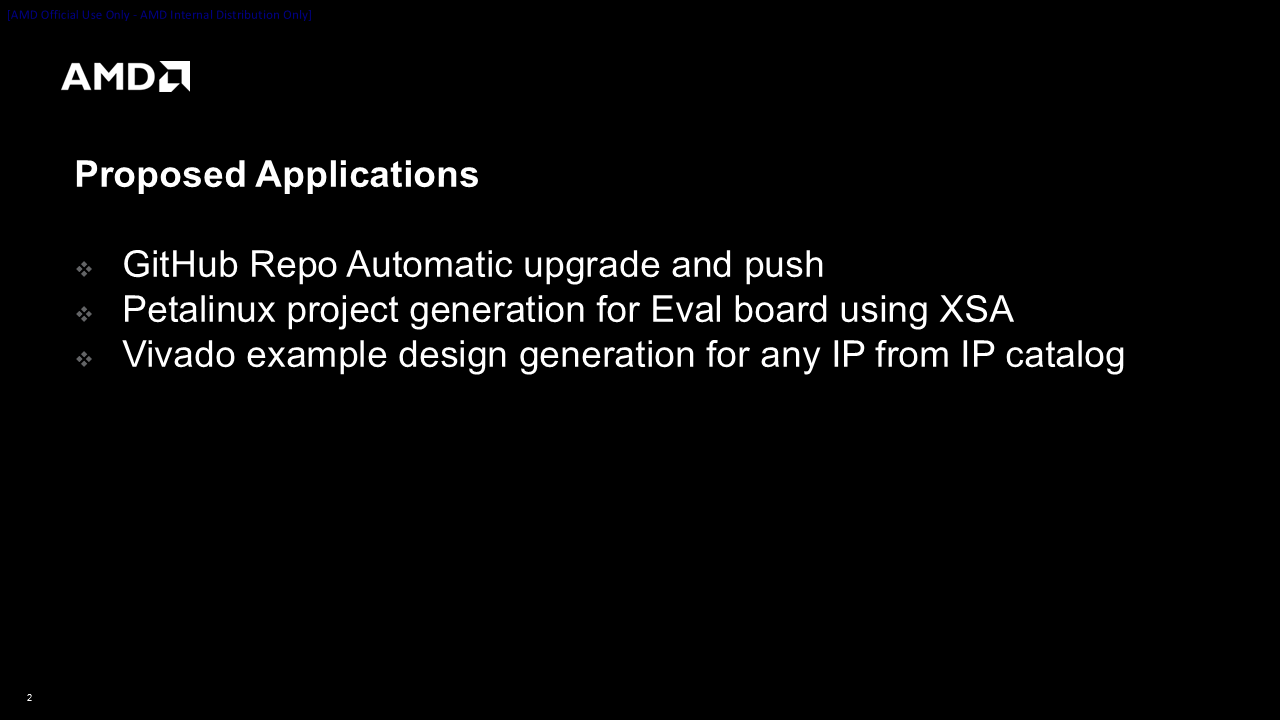
Proposed Applications
GitHub Repo Automatic Upgrade and Push
Automatically upgrade repository content with new tool versions and push changes to GitHub, maintaining version history and ensuring consistent updates across all designs.
PetaLinux Project Generation for Eval Boards
Generate PetaLinux projects for evaluation boards using XSA files, with automated configuration and build processes tailored for specific hardware platforms.
Vivado Example Design Generation
Generate Vivado example designs for any IP from the IP catalog automatically, enabling rapid prototyping and testing of IP configurations.
Automation Workflows
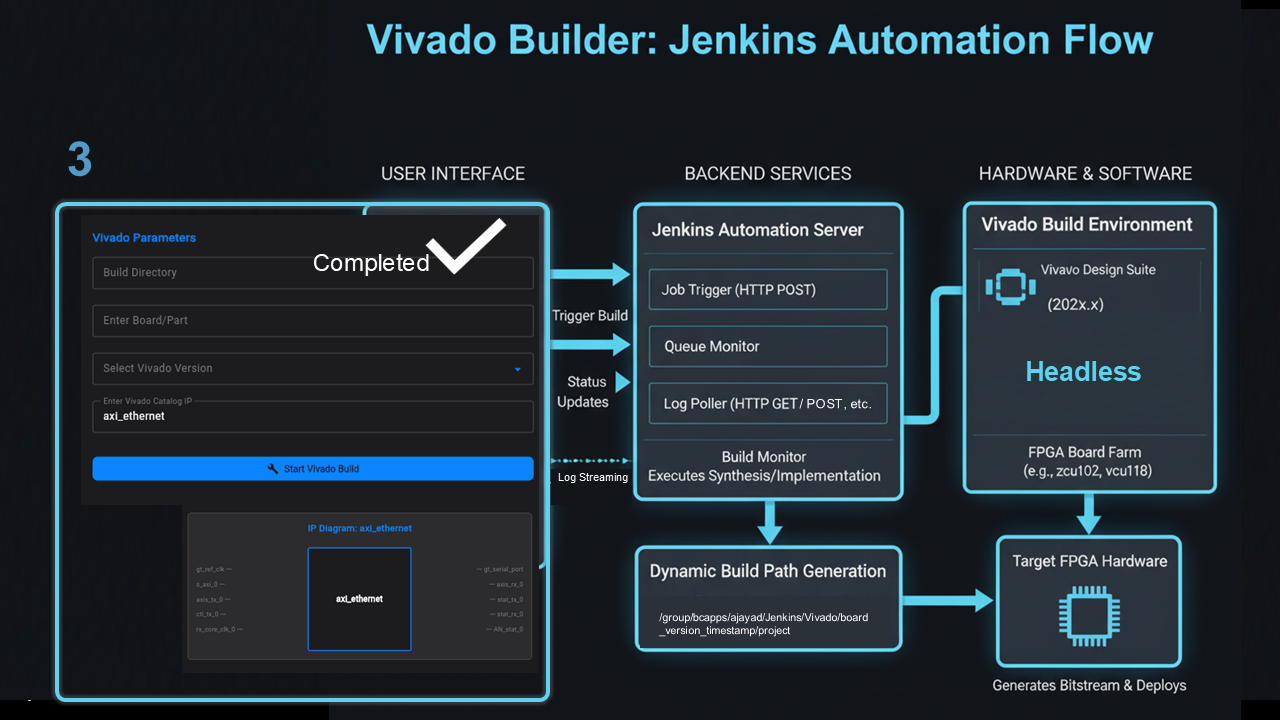
🔷 Vivado Builder: Jenkins Automation Flow
💻 User Interface
- Build directory input
- Board/part selection
- Vivado version selector
- Target device/IP catalog
- Real-time log streaming
⚡ Backend Services
- Job trigger (HTTP POST)
- Queue monitor
- Log poller (HTTP GET/POST)
- Build monitor
- Dynamic build path generation
🔧 Hardware & Software
- Vivado Design Suite (202x.x)
- Headless FPGA board farm
- Target FPGA hardware
- Bitstream generation & deployment
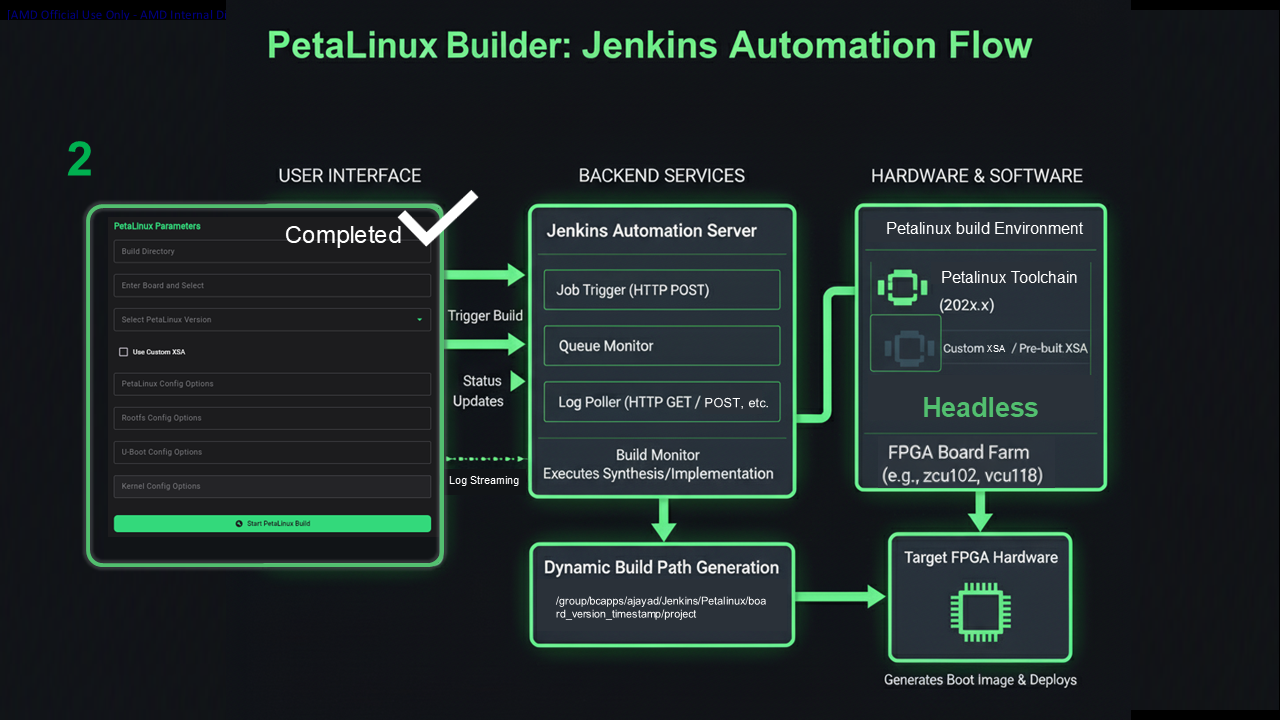
🔶 PetaLinux Builder: Jenkins Automation Flow
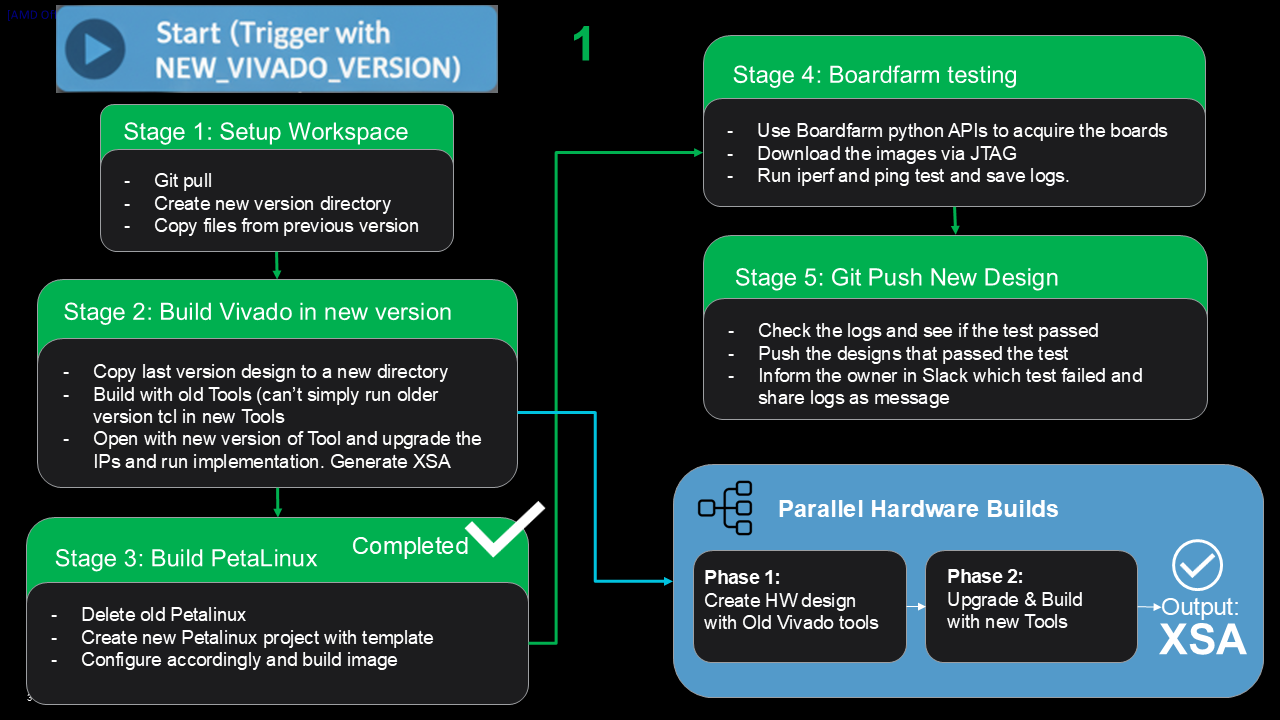
📊 Build Pipeline Stages
Setup Workspace
- Git pull
- Create new version directory
- Copy files from previous version
Build Vivado in New Version
- Copy last version design to new directory
- Build with old Tools (can't run older version Tcl in new Tools)
- Open with new version of Tool and upgrade the IPs
- Run implementation and generate XSA
Build PetaLinux
- Delete old PetaLinux
- Create new PetaLinux project with template
- Configure accordingly and build image
Boardfarm Testing
- Use Boardfarm Python ROAST APIs to acquire the boards
- Download the images via JTAG
- Run iperf and ping test and save logs
Git Push New Design
- Check the logs and see if the test passed
- Push the designs that passed the test
- Inform the owner in Slack which test failed and share logs as message
💻 User Interface
- PetaLinux Parameters
- Board selection (e.g., ZCU102)
- Tool version selection
- Configuration options
- Test parameters
- Real-time log streaming
⚡ Backend Services
- Job trigger (HTTP POST)
- Queue monitor
- Log poller (HTTP GET/POST)
- Build monitor
- Executes synthesis/implementation
- Dynamic build path generation
🔧 Hardware & Software
- PetaLinux Build Environment
- PetaLinux Toolchain (202x.x)
- Custom XSA / Pre-built XSA
- Headless FPGA Board Farm (e.g., zcu102, vcu118)
- Target FPGA hardware
- Boot image generation & deployment
Project Resources
GitHub Repository
Complete Jenkins automation files, scripts, and configuration for Ethernet upgrade workflow.
View Repository →README Documentation
Comprehensive guide for future maintainers with setup instructions and usage examples.
Read Documentation →PowerPoint Presentation
Detailed presentation slides explaining the architecture, workflows, and implementation details.
View Slides →📊 Presentation Slides

Key Benefits
Reduced Manual Effort
Automates repetitive build and test tasks
Improved Reliability
Consistent build process reduces human error
Faster Deployment
Parallel builds and automated testing
Better Tracking
Comprehensive logging and version control